
How to log into your Ross School of Business Canvas Courses
Please do the following:
Go to https://weblogin.umich.edu/

Enter your UMich Username & Password
Click Login
You will be presented with the Two-Factor Authentication screen 
Please note you will need to have the Duo Mobile App installed on your mobile device. This app is available through the Google App Store and Apple App Store

Depending on the option you selected from the 2 factory authentication page.
Send Me a Push, Go to your mobile device, you will receive a notification that you have a request
Tap the notification and select Approve.
Call Me you should receive a phone call asking for verification.
Enter Passcode, Go to the Duo Mobile App on your phone, Select University of Michigan
A passcode will be displayed, enter the numbers provided from the mobile app into the box on the 2 factor authentication page.
You will now be logged into the WebLogin page.

Here you will see a listing of University of Michigan resources.
Select Canvas – Ann Arbor
You will now be redirected to your Canvas Dashboard.
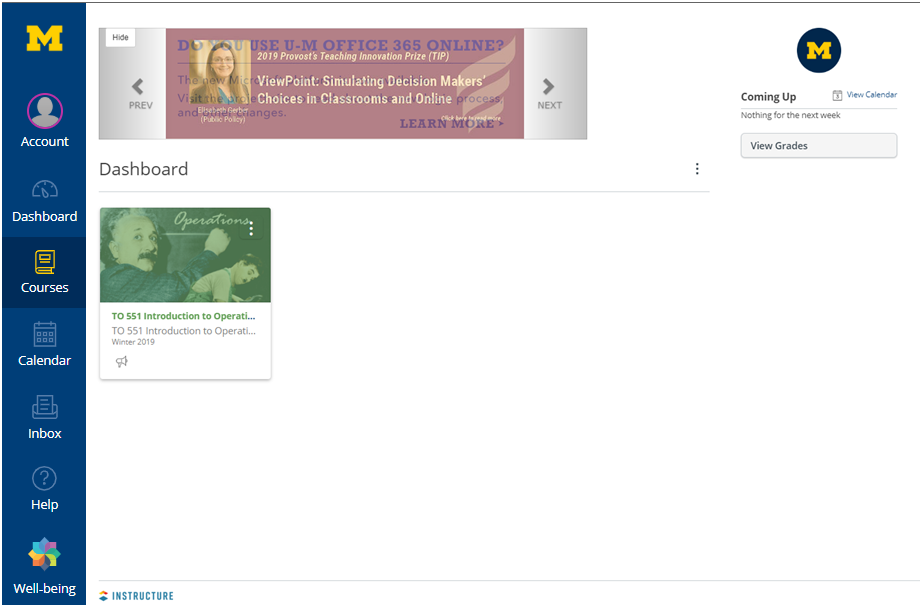
Congratulations, You have successfully logged into Canvas and should see your enrolled courses.
Comments
Please sign in to leave a comment.